 ATLAS
Know whether CIT training shows up on real calls.
A free body-worn camera review tool for mental health calls. Score what officers actually do, find the CIT skills that are not reaching the street, and focus your training where it is needed.
Your officers finished the 40 hours. Then what?
Most agencies can show who completed CIT training. Few can show whether those skills appear on actual mental health calls, or which ones are slipping. The certificate records the class. It does not record the call.
What you get
A consistent way to review mental health calls, and the numbers to act on what you find.
Proof from the field
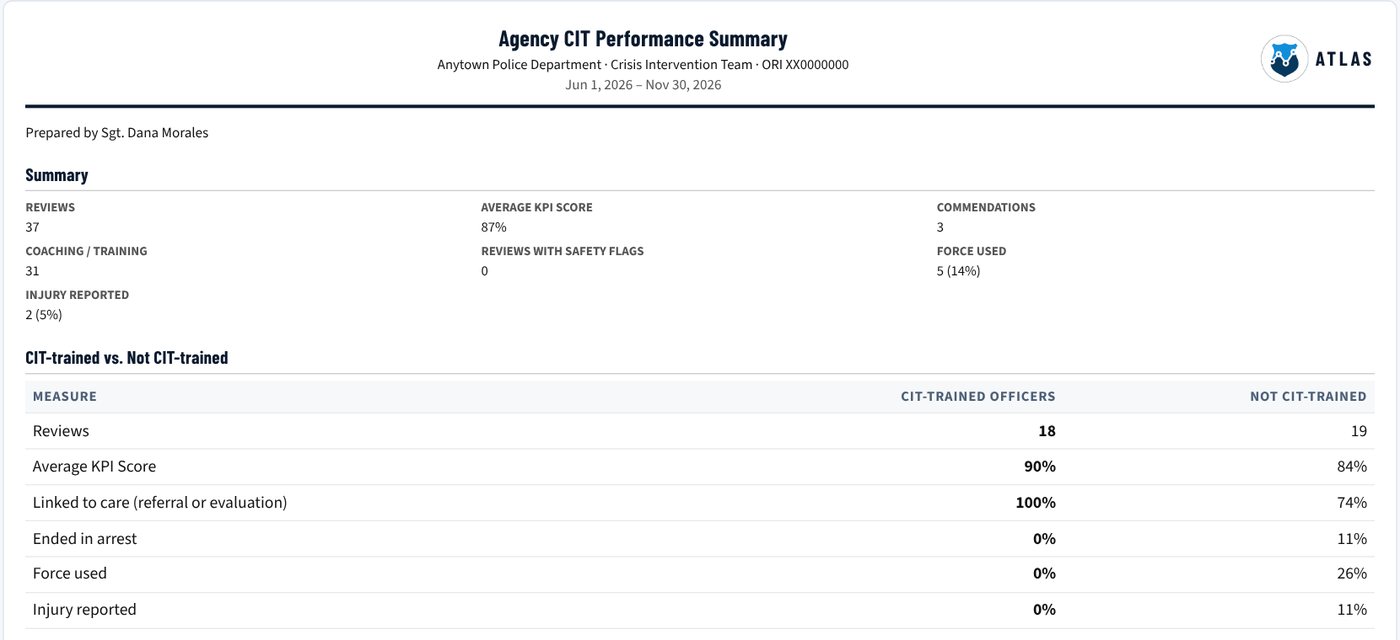
Every review scores observable officer behavior on body-worn camera, so you can show what CIT-trained officers actually do on calls.
Training aimed at real gaps
See which skills are missed most across your officers, then spend roll-call and in-service time on those, not on what is already working.
A record you can stand behind
Documented reviews, coaching and follow-up show command, partners and your community that the program is checked, not just taught.
How it works
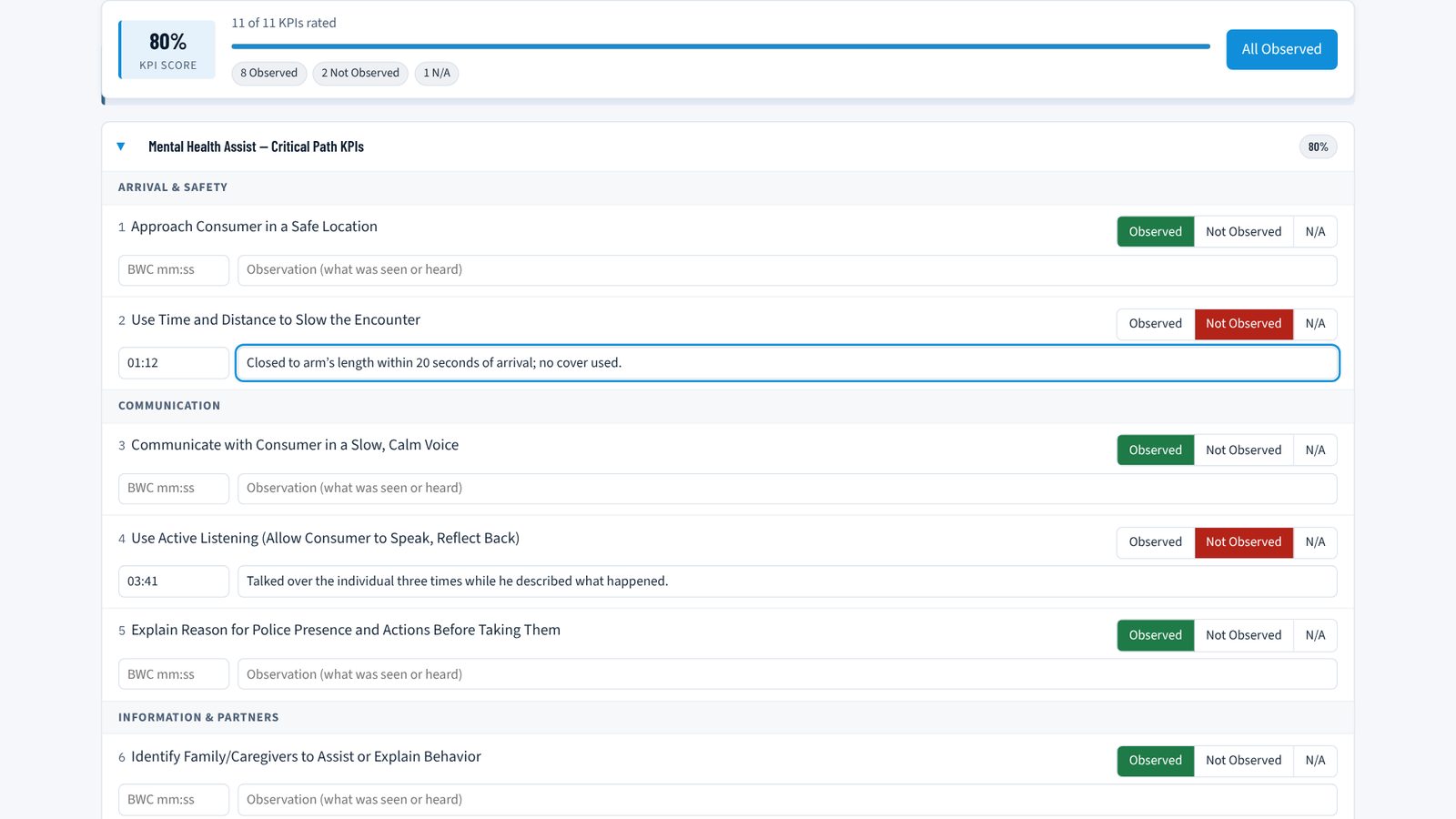
One supervisor, one call at a time. A review takes about as long as watching the footage.
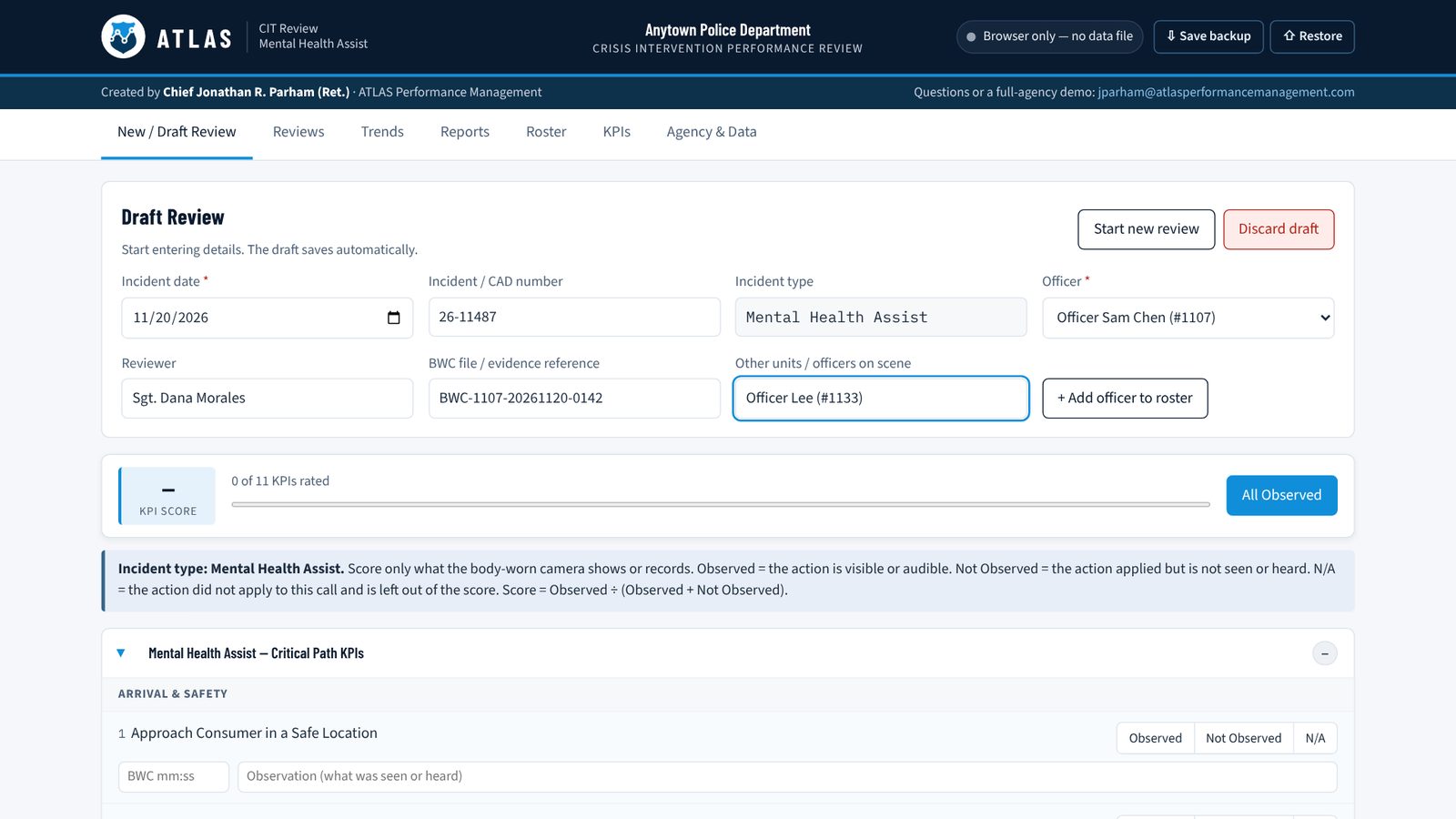
Set up your agency and roster
Add your officers once and mark who is CIT-trained.
Review a mental health call on BWC
Score 11 observable behaviors drawn from the CIT curriculum: Observed, Not Observed or N/A, with the video timestamp.
Record how the call ended
Disposition, force and injury are captured in CIT's own data categories and kept separate from the officer's score.
Coach and document
Choose the follow-up, write report-ready notes and print the review for the officer's file.
Read the trends
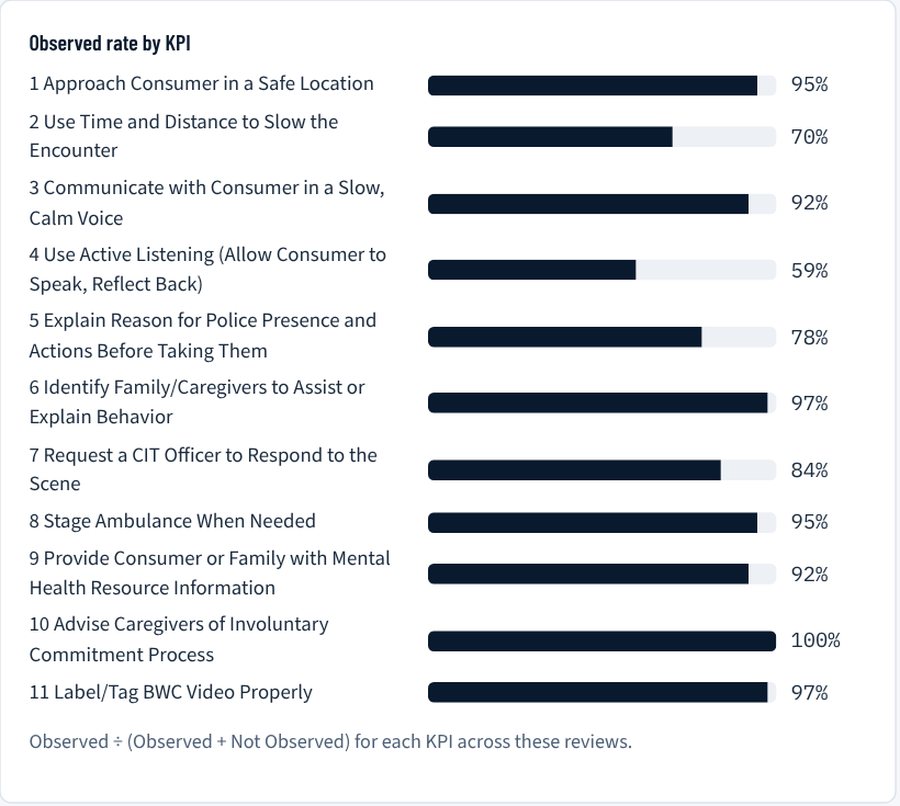
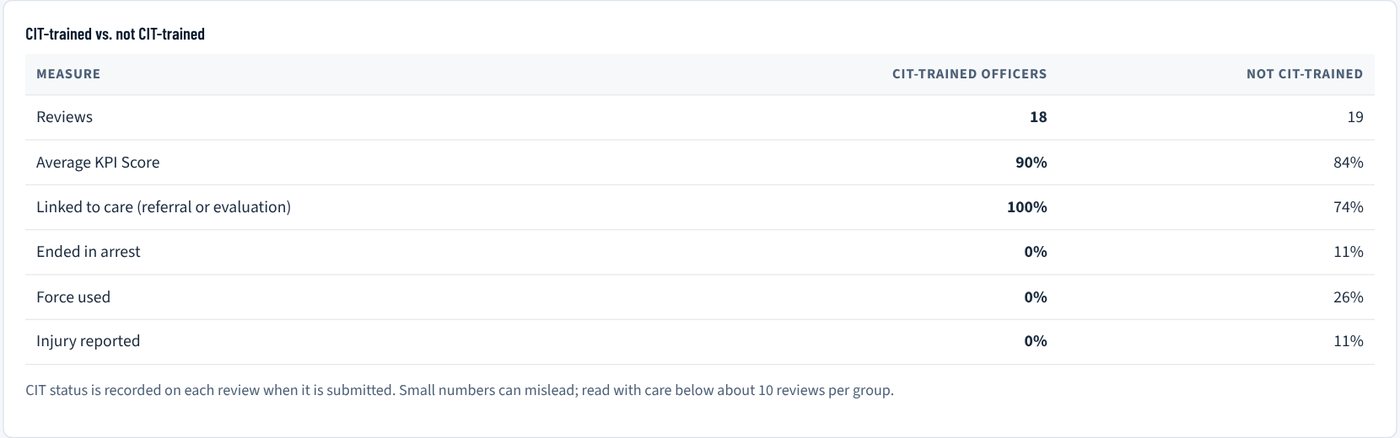
See the most-missed skills, how scores move month to month, and how CIT-trained officers compare with others.
Measure whether CIT training is working
Each KPI ties back to what the CIT course teaches. When a KPI keeps showing up as Not Observed, a lesson is not reaching the street. The tool turns that into a cycle your agency can run every quarter.
Watch the walkthrough
A short guided tour of a complete review, the trends, and the reinforcement cycle.
Your reviews stay yours
- Nothing about your calls is sent anywhere. Reviews, roster and notes stay on your computer.
- No account and no password. Register once and the tool opens directly on every visit.
- Save a complete backup any time and restore it on another computer.
- Built to keep the person in crisis out of the record. There are no fields for their name or identifying details.
Get the free tool
Register once. You will get immediate access, a quick-start guide by email, and a practice scenario to calibrate your reviewers.
Welcome back
You are registered. Open the tool to continue where you left off.
Open ATLAS Crisis Response ReviewQuestions
Is it really free?
Yes. The tool is free for law enforcement agencies to use for mental health call reviews.
Does any of our review data leave our computer?
No. Reviews, notes and your roster stay in your browser and in any backup file you save. The only information we receive is the registration form.
Do I need an account or a password?
No. Register once and the tool opens directly. If you want the data on your computer locked, the tool has an optional agency passcode that encrypts it.
Which browsers work?
Chrome and Edge on a desktop or laptop work best and can save to a data file. Other browsers keep reviews in the browser; use Save backup regularly.
Can we review other call types?
This tool is built for one job: mental health calls. Reviewing every incident type across your agency is what ATLAS Performance Management does.
Who built it?
Chief Jonathan R. Parham (Ret.), a retired chief of police with more than 30 years in law enforcement leadership and the founder of ATLAS Performance Management. Questions: jparham@atlasperformancemanagement.com
Ready to review every call, across every supervisor?
ATLAS Crisis Response Review covers one call type for one reviewer. ATLAS Performance Management brings the same review method to your whole agency.
ATLAS Crisis Response Review (free)
- Mental health calls
- One reviewer, one computer
- Trends for that reviewer's work
- Follow-up recorded on the review
ATLAS Performance Management
- Every incident type your officers handle
- Multiple supervisors with roles and permissions
- Training follow-up tracked until the gap is closed
- Agency-wide reporting for command